
Flutter自定义绘制与Canvas性能优化:从绘制原理到流畅渲染
Flutter自定义绘制的性能优化需要理解渲染管线的工作机制。RepaintBoundary隔离重绘范围,Paint对象缓存避免重复创建,减少saveLayer使用降低离屏缓冲区开销,脏区域重绘避免全量计算。落地建议:为每个独立的自定义绘制组件添加RepaintBoundary;将Paint对象缓存为静态常量;仅在需要混合模式时使用saveLayer;开发阶段持续监控帧率,及时发现性能回归。
Flutter自定义绘制与Canvas性能优化:从绘制原理到流畅渲染
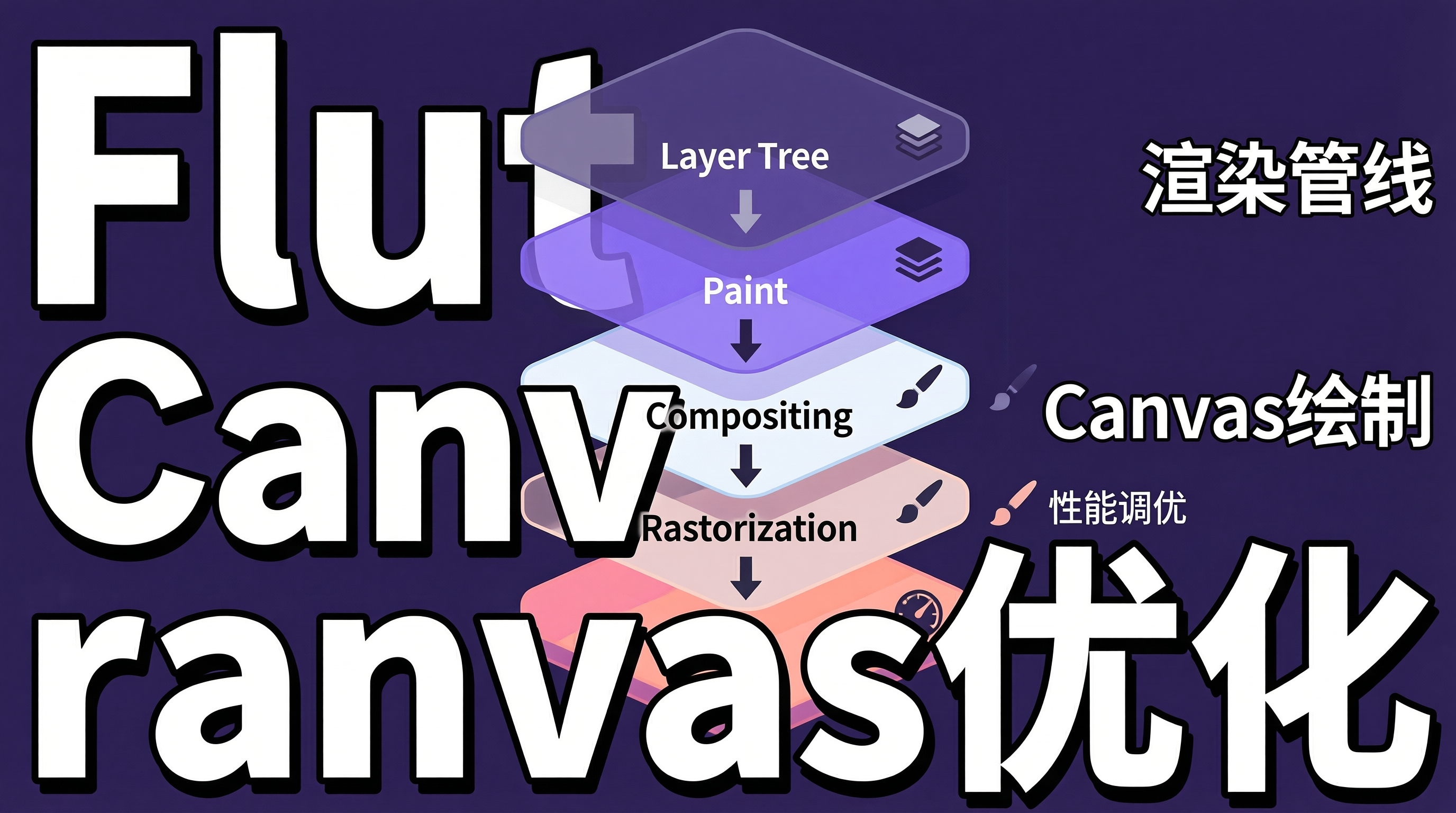
一、Flutter渲染管线的瓶颈:自定义绘制的性能挑战
Flutter的渲染管线经过Layer Tree → Paint → Compositing → Rasterization四个阶段。对于标准Widget,Flutter的渲染引擎已经做了大量优化;但当使用CustomPaint进行自定义绘制时,开发者需要直接面对Canvas API的性能特性。
常见的性能陷阱包括:在每帧重绘整个Canvas而非脏区域(Dirty Region);在绘制循环中创建大量临时对象(Paint、Path、Shader);过度使用saveLayer导致离屏缓冲区分配;以及未利用RepaintBoundary隔离重绘范围。这些问题在简单页面中不明显,但在包含复杂自定义绘制的页面(如数据可视化、游戏、绘图工具)中会导致帧率骤降。
二、Flutter Canvas绘制原理
2.1 渲染管线与绘制流程
graph TB
    A[Widget Tree] --> B[Element Tree]
    B --> C[RenderObject Tree]
    C --> D[Layer Tree]
    D --> E[Paint指令序列]
    E --> F[Compositing合成]
    F --> G[Rasterization光栅化]
    G --> H[GPU显示]

    subgraph "自定义绘制介入点"
        I[CustomPainter.paint] --> E
        J[Canvas API调用] --> E
    end
2.2 CustomPainter基础
class PerformanceChartPainter extends CustomPainter {
  final List<double> values;
  final Color lineColor;
  final Color fillColor;

  PerformanceChartPainter({
    required this.values,
    this.lineColor = const Color(0xFF6366F1),
    this.fillColor = const Color(0x336366F1),
  });

  @override
  void paint(Canvas canvas, Size size) {
    // 预计算所有点坐标,避免在循环中重复计算
    final points = _computePoints(values, size);

    // 绘制填充区域
    final fillPath = Path()
      ..moveTo(points.first.dx, size.height)
      ..lineTo(points.first.dx, points.first.dy);

    for (int i = 1; i < points.length; i++) {
      // 使用贝塞尔曲线平滑连接
      final controlPoint = Offset(
        (points[i - 1].dx + points[i].dx) / 2,
        points[i - 1].dy,
      );
      final controlPoint2 = Offset(
        (points[i - 1].dx + points[i].dx) / 2,
        points[i].dy,
      );
      fillPath.cubicTo(
        controlPoint.dx, controlPoint.dy,
        controlPoint2.dx, controlPoint2.dy,
        points[i].dx, points[i].dy,
      );
    }

    fillPath
      ..lineTo(points.last.dx, size.height)
      ..close();

    // 复用Paint对象,避免在绘制循环中创建
    final fillPaint = Paint()
      ..color = fillColor
      ..style = PaintingStyle.fill;

    canvas.drawPath(fillPath, fillPaint);

    // 绘制线条
    final linePath = Path()..moveTo(points.first.dx, points.first.dy);
    for (int i = 1; i < points.length; i++) {
      linePath.lineTo(points[i].dx, points[i].dy);
    }

    final linePaint = Paint()
      ..color = lineColor
      ..style = PaintingStyle.stroke
      ..strokeWidth = 2.0
      ..strokeCap = StrokeCap.round
      ..strokeJoin = StrokeJoin.round;

    canvas.drawPath(linePath, linePaint);
  }

  @override
  bool shouldRepaint(PerformanceChartPainter oldDelegate) {
    // 仅在数据变化时重绘,避免不必要的重绘
    return values != oldDelegate.values ||
        lineColor != oldDelegate.lineColor;
  }

  List<Offset> _computePoints(List<double> values, Size size) {
    final maxVal = values.reduce(math.max);
    final stepX = size.width / (values.length - 1);

    return List.generate(values.length, (i) {
      return Offset(
        i * stepX,
        size.height - (values[i] / maxVal) * size.height * 0.9,
      );
    });
  }
}
三、性能优化策略
3.1 RepaintBoundary隔离重绘
class OptimizedDashboard extends StatelessWidget {
  @override
  Widget build(BuildContext context) {
    return Column(
      children: [
        // 每个图表独立重绘,互不影响
        RepaintBoundary(
          child: CustomPaint(
            painter: PerformanceChartPainter(values: cpuValues),
            size: const Size(double.infinity, 200),
          ),
        ),
        RepaintBoundary(
          child: CustomPaint(
            painter: PerformanceChartPainter(values: memoryValues),
            size: const Size(double.infinity, 200),
          ),
        ),
        // 静态文本不需要重绘
        RepaintBoundary(
          child: Text('System Monitor',
              style: Theme.of(context).textTheme.headlineSmall),
        ),
      ],
    );
  }
}
3.2 缓存Paint对象
class CachedPaintChart extends StatelessWidget {
  // 将Paint对象缓存为静态常量,避免每帧创建
  static final _linePaint = Paint()
    ..color = const Color(0xFF6366F1)
    ..style = PaintingStyle.stroke
    ..strokeWidth = 2.0;

  static final _fillPaint = Paint()
    ..color = const Color(0x336366F1)
    ..style = PaintingStyle.fill;

  static final _gridPaint = Paint()
    ..color = const Color(0xFFE5E7EB)
    ..style = PaintingStyle.stroke
    ..strokeWidth = 0.5;

  // ...
}
3.3 避免saveLayer的过度使用
// 反模式:不必要的saveLayer
void paintBad(Canvas canvas, Size size) {
  canvas.saveLayer(null, Paint()..color = Colors.white);
  // 每次saveLayer都会创建一个离屏缓冲区
  canvas.drawRect(rect1, paint1);
  canvas.restore();

  canvas.saveLayer(null, Paint()..color = Colors.white);
  canvas.drawRect(rect2, paint2);
  canvas.restore();
}

// 优化:仅在需要混合模式时使用saveLayer
void paintGood(Canvas canvas, Size size) {
  // 直接绘制,无需离屏缓冲区
  canvas.drawRect(rect1, paint1);
  canvas.drawRect(rect2, paint2);

  // 仅在需要alpha混合时使用saveLayer
  if (needsBlending) {
    canvas.saveLayer(null, Paint());
    canvas.drawRect(blendRect, blendPaint);
    canvas.restore();
  }
}
3.4 脏区域重绘
class DirtyRegionPainter extends CustomPainter {
  Rect? _dirtyRect;

  @override
  void paint(Canvas canvas, Size size) {
    if (_dirtyRect != null) {
      // 仅重绘脏区域
      canvas.clipRect(_dirtyRect!);
    }

    // 绘制完整内容
    _drawContent(canvas, size);
  }

  void markDirty(Rect dirtyRect) {
    _dirtyRect = dirtyRect;
    // 触发重绘
    notifyListeners();
  }
}
四、架构权衡与边界分析
4.1 CustomPaint与Platform View的取舍
对于极度复杂的绘制需求(如地图渲染、3D场景),Flutter的Canvas API可能不如原生平台的渲染能力。建议在性能瓶颈无法通过Canvas优化解决时,考虑使用Platform View嵌入原生渲染组件。
4.2 精度与性能的权衡
高精度的贝塞尔曲线和抗锯齿效果会增加GPU的绘制负担。对于实时数据可视化等场景,可以降低曲线精度(减少控制点数量)或关闭抗锯齿来提升帧率。
4.3 帧率监控与性能回归
建议在开发阶段启用Flutter的Performance Overlay,持续监控帧率。当自定义绘制导致帧率低于60fps时,使用DevTools的Timeline工具定位绘制瓶颈。
五、总结
Flutter自定义绘制的性能优化需要理解渲染管线的工作机制。RepaintBoundary隔离重绘范围,Paint对象缓存避免重复创建,减少saveLayer使用降低离屏缓冲区开销,脏区域重绘避免全量计算。
落地建议:为每个独立的自定义绘制组件添加RepaintBoundary;将Paint对象缓存为静态常量;仅在需要混合模式时使用saveLayer;开发阶段持续监控帧率,及时发现性能回归。

openvela 操作系统专为 AIoT 领域量身定制,以轻量化、标准兼容、安全性和高度可扩展性为核心特点。openvela 以其卓越的技术优势,已成为众多物联网设备和 AI 硬件的技术首选,涵盖了智能手表、运动手环、智能音箱、耳机、智能家居设备以及机器人等多个领域。
更多推荐
 0
0 0
0- 0


 已为社区贡献1条内容

所有评论(0)