
Dify-AI应用嵌入第三方项目
Dify为降低第三方集成门槛,提供了多维度接入方案:通过嵌入式Web组件(iframe/SDK)实现零代码网站集成,同时开放标准化RESTful API支持深度系统对接。这种双轨设计既满足轻量级快速部署需求,又为开发者保留定制化空间,通过模型解耦、统一管理后台和跨模型兼容性,显著提升AI能力落地的场景适应性和扩展效率
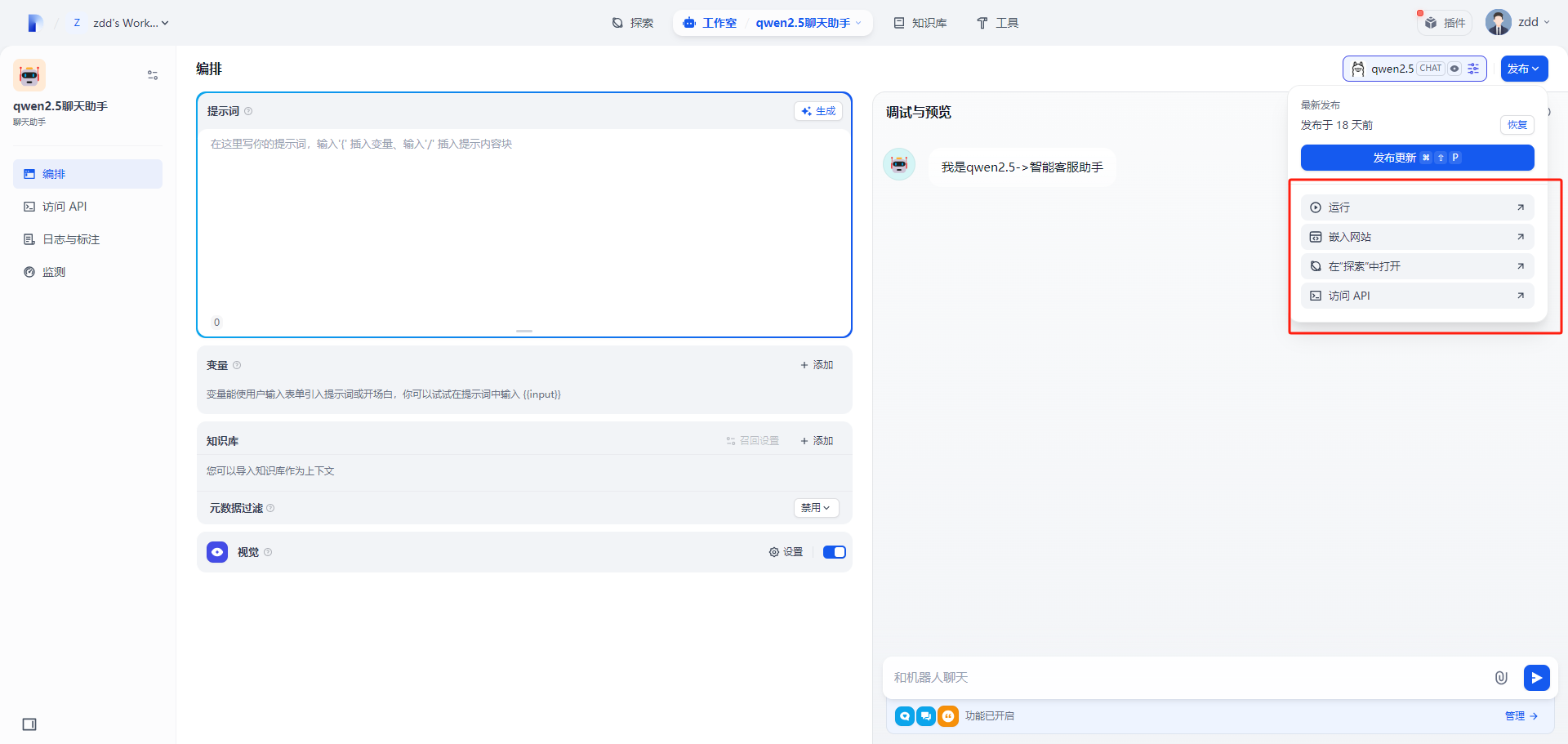
在制作完AI应用,发布时,在其下方有运行、嵌入网站、在探索中打开、访问API
运行
点击运行,打开的就是制作好的AI应用,可以看做一个网页版的AI应用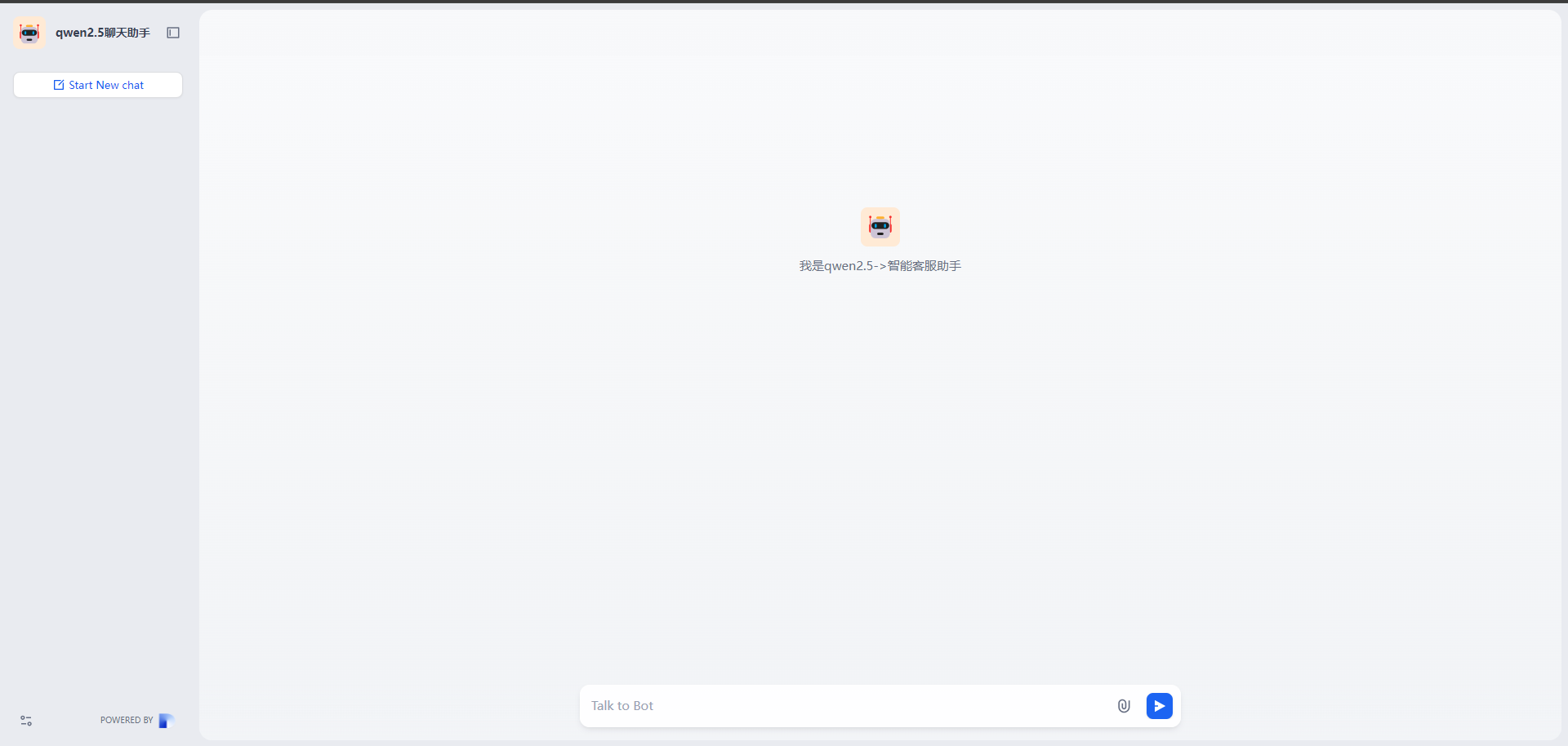
在探索中打开
点击在探索中打开发现,这个和点击探索是一样的效果,就是个跳转,展示的是所有制作好的AI应用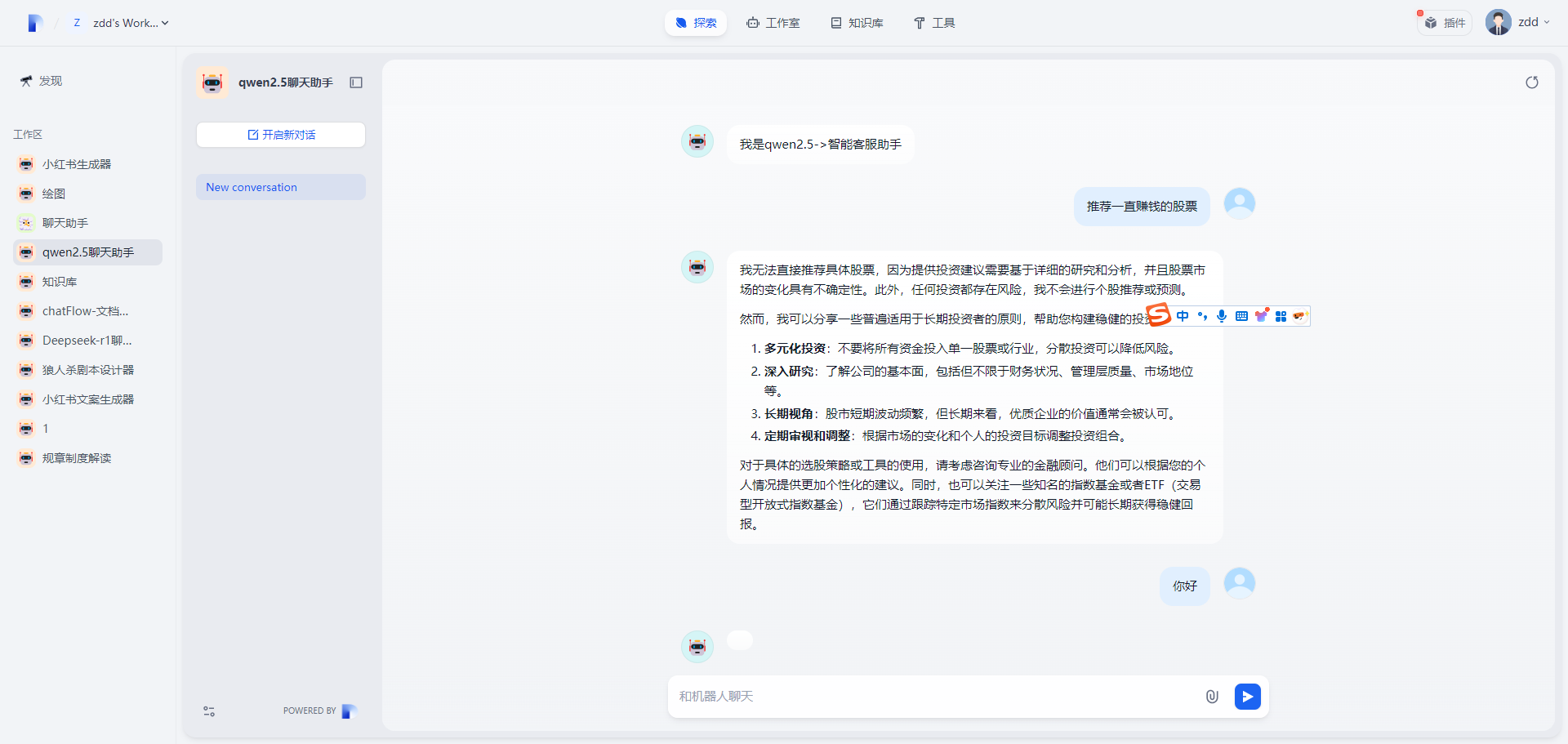
嵌套到网页
上面两个方式可以忽略,有用的就是嵌套到网页和API访问,点击嵌入网站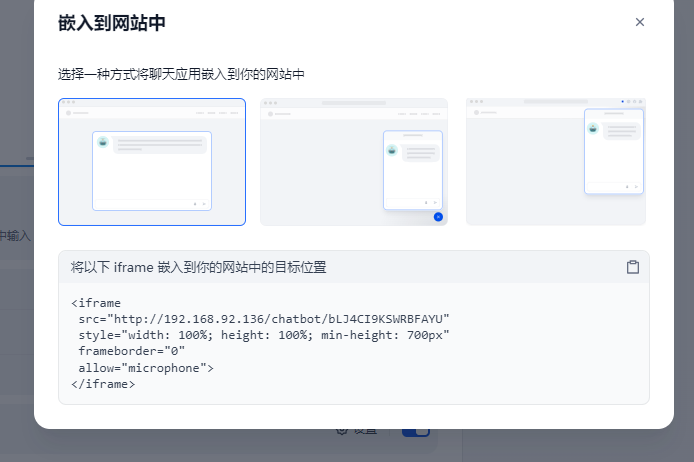
嵌入网站有三种方式、以iframe的形式嵌入、通过
iframe
以vue项目为例,iframe形式很简单就是粘贴复制到iframe标签中即可
<template>
  <iframe src="http://192.168.92.136:8088/chatbot/bLJ4CI9KSWRBFAYU" style="width: 100%; height: 100%; min-height: 700px"
    frameborder="0" allow="microphone">
  </iframe>
</template>
<script setup>

</script>

</style>
http://192.168.92.136:8088/chatbot/bLJ4CI9KSWRBFAYU 即是创建的AI应用地址,其实就是运行中打开的页面,以iframe标签形式嵌套到其他项目中,效果如下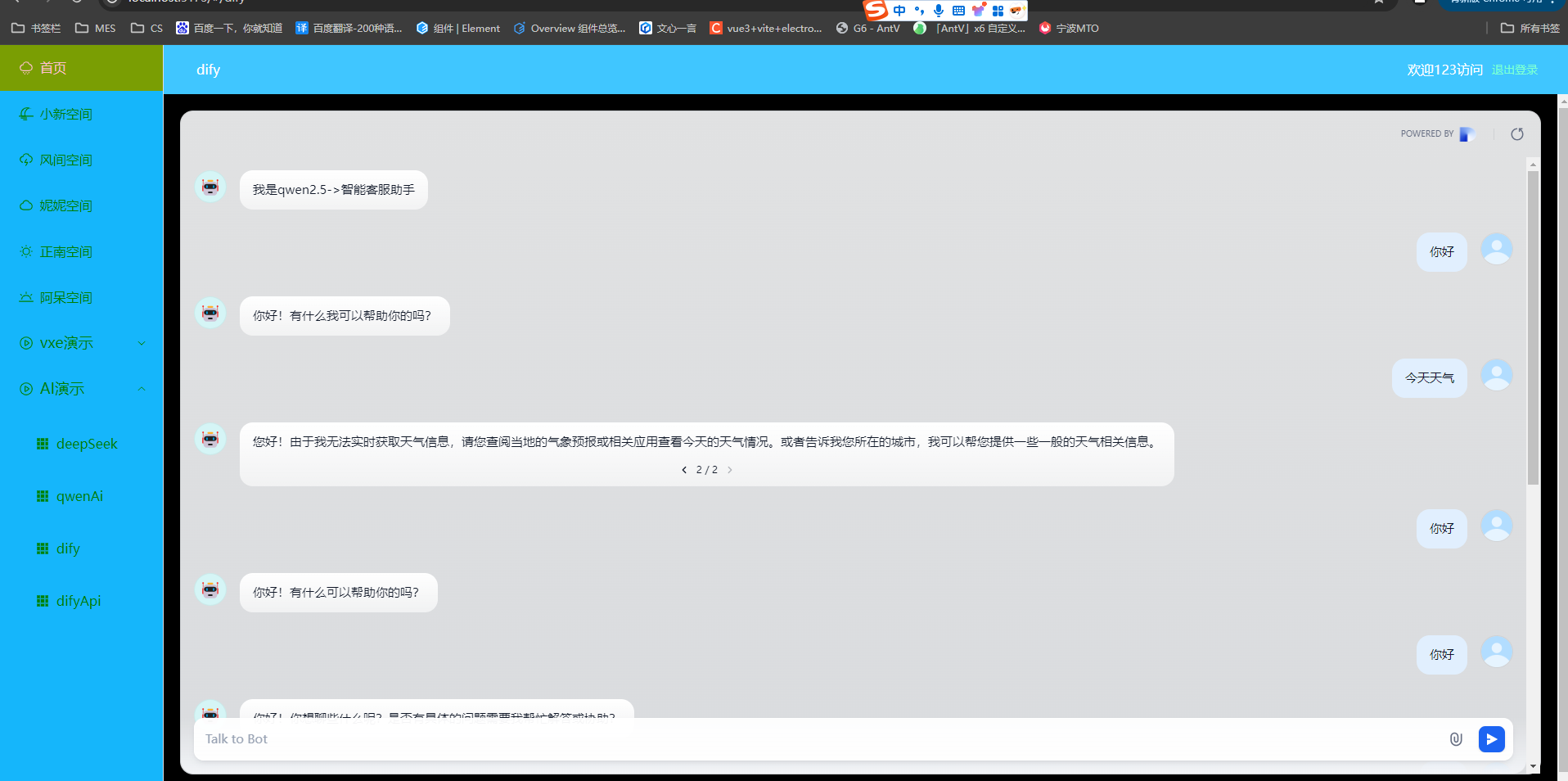
script 加载
Dify中提供了相应的代码
<script>
 window.difyChatbotConfig = {
  token: 'bLJ4CI9KSWRBFAYU',
  baseUrl: 'http://192.168.92.136'
 }
</script>
<script
 src="http://192.168.92.136/embed.min.js"
 id="bLJ4CI9KSWRBFAYU"
 defer>
</script>
<style>
  #dify-chatbot-bubble-button {
    background-color: #1C64F2 !important;
  }
  #dify-chatbot-bubble-window {
    width: 24rem !important;
    height: 40rem !important;
  }
</style>
可以直接放入一个html文件中直接运行
<html>
<head>
  <meta charset="UTF-8">
  <meta name="viewport" content="width=device-width, initial-scale=1.0">
</head>
<body>
  <script>
    window.difyChatbotConfig = {
      token: 'bLJ4CI9KSWRBFAYU',
      baseUrl: 'http://192.168.92.136:8088',
      apiKey: 'your-api-key-here', // 可选添加
      initMessage: '您好,请问有什么可以帮您?' // 初始欢迎语
    }
  </script>
  <script src="http://192.168.92.136:8088/embed.min.js" id="bLJ4CI9KSWRBFAYU" defer>
  </script>
  <style>
    #dify-chatbot-bubble-button {
      background-color: #1C64F2 !important;
      border-radius: 50% !important;
      box-shadow: 0 2px 10px rgba(0, 0, 0, 0.2) !important;
      transition: transform 0.3s !important;
    }

    #dify-chatbot-bubble-button:hover {
      transform: scale(1.1) !important;
    }

    #dify-chatbot-bubble-window {
      width: 24rem !important;
      height: 40rem !important;
      border-radius: 12px !important;
      box-shadow: 0 5px 20px rgba(0, 0, 0, 0.15) !important;
    }
  </style>
  <!-- 错误处理 -->
  <script>
    window.addEventListener('dify-chatbot-error', (e) => {
      console.error('Chatbot加载失败:', e.detail);
    });
  </script>
</body>

</html>
效果如下,是一个智能客服对话框的形式,可以打开关闭
在vue项目中进行改造
<template>
</template>
<script setup>
// dify基础信息
window.difyChatbotConfig = {
  token: 'bLJ4CI9KSWRBFAYU',
  baseUrl: 'http://192.168.92.136:8088'
}

// 这里就是对示例代码的改造
const getScript = () => {
  console.log('加载外部脚本');
  const script = document.createElement('script');// 创建script标签
  script.src = 'http://192.168.92.136:8088/embed.min.js';//  地址
  script.id = 'bLJ4CI9KSWRBFAYU';// token
  script.defer = true;//  异步加载
  document.head.appendChild(script);//  添加标签
  console.log('加载外部脚本成功');

}
getScript()
</script>
<style scoped>
:deep(#dify-chatbot-bubble-button) {
  background-color: #1c64f2 !important;
}
:deep(#dify-chatbot-bubble-window) {
  width: 24rem !important;
  height: 40rem !important;
}
</style>
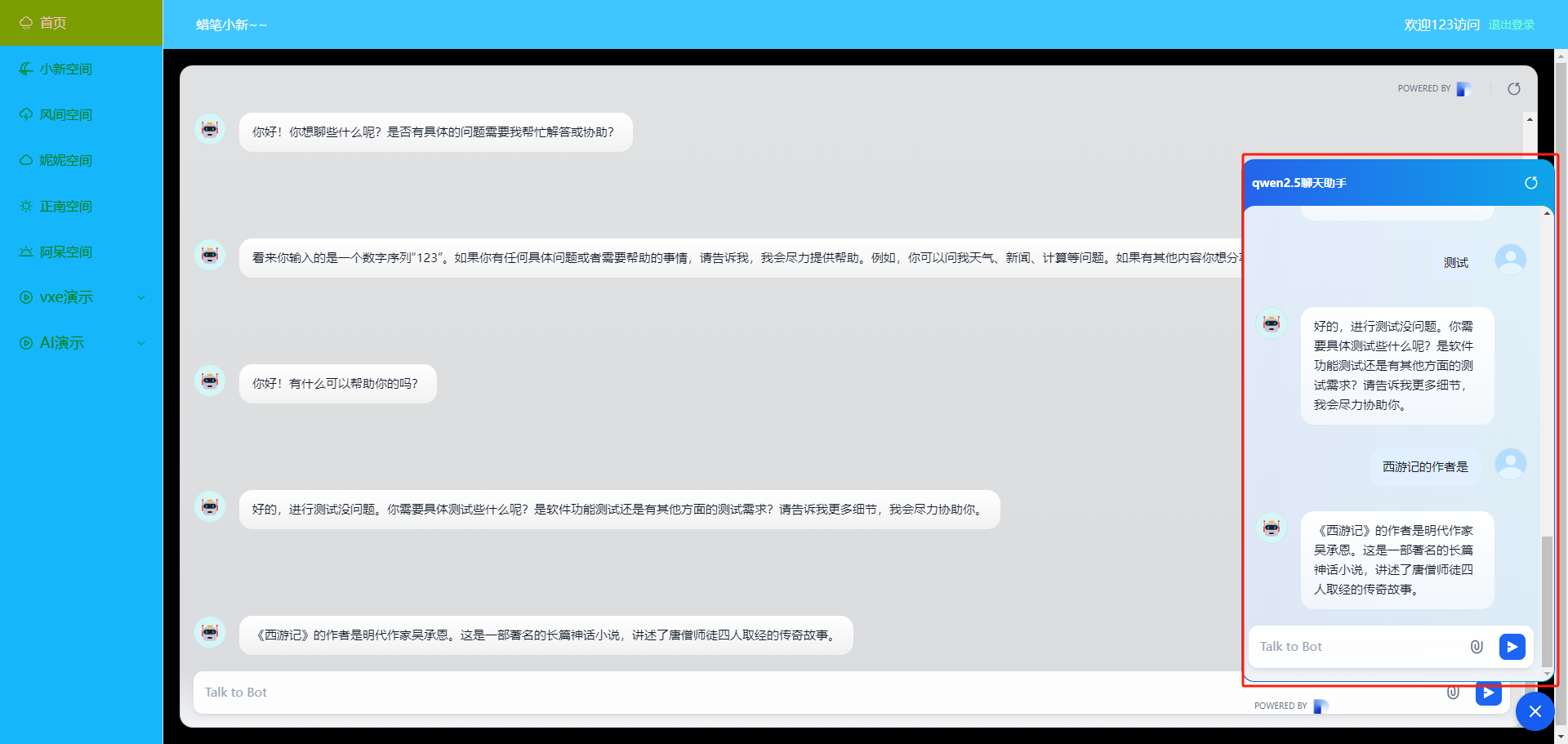
通过 script 标签加载 embed.min.js,利用全局配置对象 window.difyChatbotConfig 动态初始化聊天组件,支持自定义样式覆盖原生样式(如气泡按钮颜色、窗口尺寸)。这种方式更灵活,可直接操作 DOM 元素

openvela 操作系统专为 AIoT 领域量身定制,以轻量化、标准兼容、安全性和高度可扩展性为核心特点。openvela 以其卓越的技术优势,已成为众多物联网设备和 AI 硬件的技术首选,涵盖了智能手表、运动手环、智能音箱、耳机、智能家居设备以及机器人等多个领域。
更多推荐

 12
12 1
1- 0


 已为社区贡献1条内容

所有评论(0)